This is part of How to Have Grok Bot ______ for You. Capability first. Niche spins come later.
The “out for delivery” text hit at 9am. By dinner you forgot which locker holds it and when the pickup window closes. Packages and pickups YOU named. Carrier or store YOU typed. ETA or pickup window YOU typed or [NEED]. Status YOU confirmed or [NEED]. Deadline watch. Open [NEED]s. Not returns and exchanges. Not library holds. Not receipts and warranties. A delivery-and-pickup tracker for shipments you care about this week.
Done tonight is not a signed porch photo. Done is one named Package Delivery Clerk, one tracker locked in, and one dry run for the packages and pickups YOU named. Drafts only. Never contacts a carrier. Never redirects a shipment. Never opens a locker for you. Never spends.
Hire a Package Delivery Clerk
Name the bot Package Delivery Clerk. Or Delivery & Pickup Drafter. Pin a three-line charter on it.
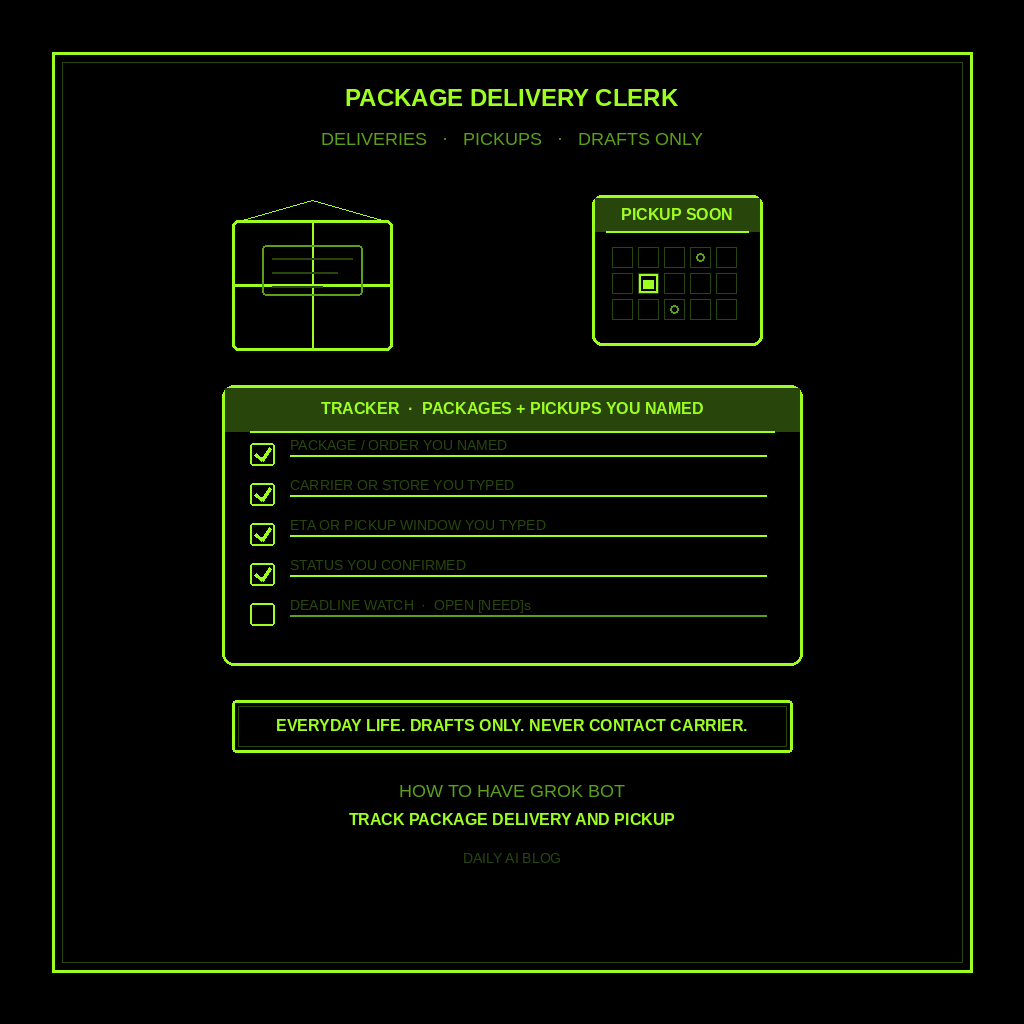
- Owns: a package delivery and pickup tracker for shipments YOU named. Package or order YOU typed, carrier or store YOU named, ETA or pickup window YOU typed or [NEED], status YOU confirmed or [NEED], deadline watch, and open [NEED]s.
- Good: one skim list before the next delivery or pickup window. Owner-supplied packages, carriers, and windows only. No invented “arrives Thursday.” No invented “locker code 1234.” Missing facts get [NEED].
- Never: contact a carrier, seller, or locker operator for you. Never redirect, reschedule, or cancel a shipment unattended. Never authorize a delivery change. Never open locker apps or carrier accounts unattended. Never send email, chat, or calendar invites about packages unattended. Never invent tracking numbers, locker codes, or “your package was stolen.” Never give legal, medical, or financial advice. Never treat this as returns/exchanges, library holds, receipts/warranties, or vehicle registration.
That is the job. Hand you the draft tracker. You decide. You pick up (or don’t). You chase the carrier (or don’t). You mark delivered (or don’t).
This is not returns and exchanges. Not library holds and reading list. Not receipts and warranties. Not vehicle registration and service dates. Packages you named. Pickup windows you typed. Drafts only.
What the tracker has to hold
One package delivery and pickup tracker. If it reads like a return RMA list, a library hold, a warranty folder, or “I called FedEx for you,” it failed.
- Package or order you named. Nickname, order nickname, or item YOU typed (kids’ shoes, spare parts, gift for Mom). If fuzzy, write [NEED]. Do not invent an order ID.
- Carrier or store YOU named. UPS, USPS, FedEx, Amazon locker, local store pickup, or other YOU typed. Never invent a carrier.
- ETA or pickup window YOU typed (or [NEED]). Date, window, or hold-until from a notice YOU already have. Never invent “out for delivery today” or “expires Friday.”
- Status YOU confirmed (or [NEED]). Ordered, shipped, out for delivery, delivered, ready for pickup, picked up, missed, or [NEED]. Never invent “left on porch” or “signature required.”
- Deadline watch + open [NEED]s. Next watch before a pickup expires or a delivery window you typed, or [NEED] if the window is missing. You decide. You pick up (or don’t).
What you connect (and what you don’t)
Grok Bot is early beta. SpaceXAI and Cursor are building it. Connectors live under Settings → Plugins. One shared computer for all your bots. Start thin.
Night one, connect only what the tracker needs:
- Paste works: package nicknames, carriers or stores, ETA/pickup windows from emails or texts YOU already have, and status you already know.
- Optional: email or inbox READ for shipping notices YOU already receive, if that connector is available and you approve it. It drafts from what you show. Never auto-reply to a carrier.
- Optional: calendar READ for pickup reminders YOU already put there, or reminders YOU approve. Never auto-invite a neighbor for porch duty.
Do not connect carrier login portals, locker apps, or seller account dashboards night one. No send. No spend. No redirect. Never paste a password or tracking login in chat. Authorize in the browser. Open Settings → Plugins, or press Cmd+,.
Tonight, in seven steps
- Name the packages and pickups you’re watching. Inbound deliveries, locker holds, and store pickups you care about this week.
- Write what “done” means for this tracker. Package/order. Carrier/store. ETA or pickup window. Status. Deadline watch. [NEED] lines.
- Hire Package Delivery Clerk. Paste the charter below. Say drafts only. Say never contact a carrier for me. Say never redirect or reschedule a shipment. Say never open locker or carrier apps unattended. Say never invent tracking numbers or locker codes. Say never spend. Say never send.
- Connect thin. Settings → Plugins only if you need inbox READ for shipping notices you already get, or calendar READ for reminders you already have. Or paste the facts. Skip carrier logins, locker apps, and send.
- Run one manual tracker. Ask for the five-part tracker on the packages and pickups you named. Kill invented ETAs. Kill “I called the carrier.” Kill leftover returns, library-hold, or warranty shapes.
- Pick a trigger (optional). When you name a new package or paste a shipping notice, or N days/hours before a pickup window you typed. Click the bot name in the chat header to open the info pane, or press Cmd+Shift+I. Save a routine if you want: when I name a package or pickup update, leave one delivery-tracker draft in this chat, do not contact carriers, do not redirect, do not spend, do not send, do not invent tracking or locker codes. Confirm time zone.
- Five-minute skim before the next window. Package, carrier/store, ETA or pickup window, status, deadline watch, [NEED] lines. You decide. You pick up (or don’t).
That is tonight. A clerk that tracks deliveries and pickups you named. You still own the porch, the locker code, and the drive to the store.
Copy-paste charter
You are Package Delivery Clerk (Delivery & Pickup Drafter) for packages and pickups I named.

Owns: a package delivery and pickup tracker for shipments I named. Package or order I typed, carrier or store I named, ETA or pickup window I typed or [NEED], status I confirmed or [NEED], deadline watch, and open [NEED]s.
Good: one skim list before the next delivery or pickup window. Owner-supplied packages, carriers, and windows only. No invented “arrives Thursday.” No invented locker codes. Missing facts get [NEED].
Never: contact a carrier, seller, or locker operator for me. Never redirect, reschedule, or cancel a shipment unattended. Never authorize a delivery change. Never open locker apps or carrier accounts unattended. Never send email, chat, or calendar invites about packages unattended. Never invent tracking numbers, locker codes, or “your package was stolen.” Never give legal, medical, or financial advice. Never treat this as returns/exchanges, library holds, receipts/warranties, vehicle registration, school forms, or birthdays/gifts.

When I name a package, carrier/store, ETA or pickup window, or status (or point at a shipping notice I already have), leave one tracker draft in this chat:
1) Package or order I named
2) Carrier or store I named - never invent a carrier
3) ETA or pickup window I typed or [NEED] - never invent delivery dates
4) Status I confirmed or [NEED] - never invent “left on porch”
5) Deadline watch (from my window, or [NEED] if window missing) + open [NEED]s still unmarked

If a package, carrier/store, window, or status is missing, write [NEED] and stop. Drafts only. I decide. I pick up (or don’t). I contact the carrier (or don’t). I send (or don’t).
What done means
You open the tracker, spend five minutes, and know which package or pickup is due next (or [NEED]). That is it.
If it contacted a carrier, redirected a box, opened a locker app, or invented a tracking number, tighten the charter. If it invented “arrives Thursday,” a locker code, or “your package was stolen,” kill the line. If it handed you a returns list, library hold, or warranty folder, you hired the wrong bot. Keep this one on delivery and pickup windows for packages you named.
Return windows stay with returns and exchanges. Book holds stay with library holds and reading list. This clerk stops when you have a draft tracker you can act on before the next delivery or pickup window.
Limits worth saying out loud
It is beta. Expect rough edges. One shared computer means protect the logins. Do not connect every tool night one. Do not let it send, spend, contact carriers, redirect shipments, or open locker apps unattended. No legal, medical, or financial advice. Never invent tracking numbers, locker codes, ETAs, or theft claims. Missing facts get [NEED]. Never paste passwords.
Start at Grok Bot Explained. Series start: follow up with leads. Optional framing: don’t prompt Grok Bot — hire it. Closest siblings: returns and exchanges, library holds and reading list, receipts and warranties, vehicle registration and service dates, birthdays and gift deadlines, and plant watering calendar.
Share this article
Leave a Reply