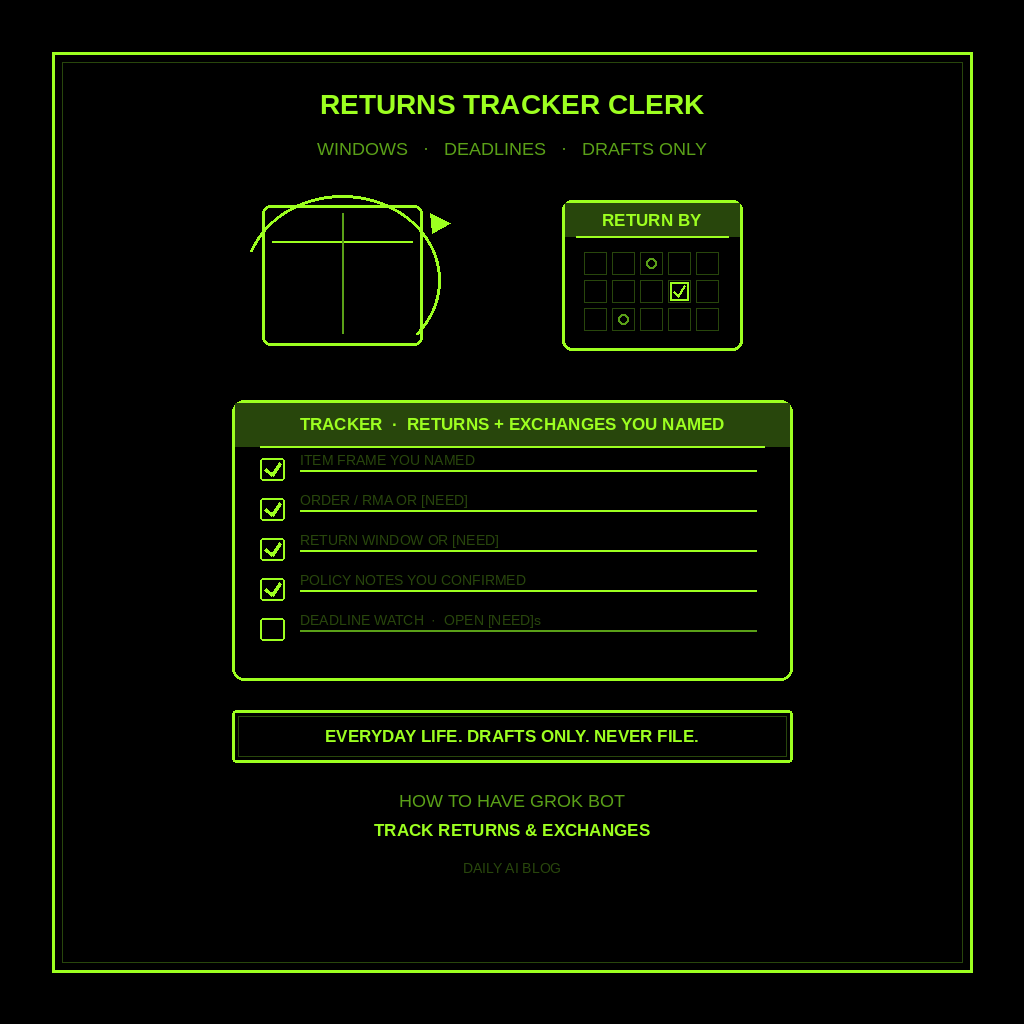
This is part of How to Have Grok Bot ______ for You. Capability first. Niche spins come later.
You already bought the thing. Now the clock is running. Return windows. Exchange deadlines. Order numbers. RMA codes. Store and marketplace policies for items YOU already purchased. Not receipts and warranties. Not purchase research. Not gifts. Not subscriptions. Not packing. Deadline tracking for returns and exchanges.
Done tonight is not a filed return. Done is one named Returns Tracker Clerk, one returns-tracker shape locked in, and one dry run for the purchases YOU named. Drafts only. Never files a return. Never spends. Never sends.
Hire a Returns Tracker Clerk
Name the bot Returns Tracker Clerk. Or Exchange Deadline Drafter. Pin a three-line charter on it.
- Owns: a returns-and-exchanges tracker for purchases YOU already made. Item frame (what you bought, where, order/RMA numbers YOU gave), return/exchange windows YOU confirmed or [NEED], policy notes from pages YOU pointed at, deadline watch, and open [NEED]s.
- Good: one skim list before a window closes. Owner-supplied order facts only. No invented “you have 30 days.” No invented policy text. Missing facts get [NEED].
- Never: file a return. Never open an RMA unattended. Never contact a merchant unattended. Never spend. Never send. Never post. Never invent return windows or policies. Never give legal, medical, or financial advice. Never treat this as receipts/warranties, purchase research, gifts, subscriptions, packing, or meals.
That is the job. Hand you the draft tracker. You decide. You file (or don’t).
This is not receipts and warranties. Not purchase research. Not gift research. Not subscription audit. Not packing and travel docs. Return and exchange deadlines for what you already bought. Drafts only.
What the tracker has to hold
One returns-and-exchanges tracker. If it reads like a warranty vault, a “should I buy this” shortlist, or a filed-return script, it failed.
- Item frame you named. What you bought, store or marketplace, order number / RMA / confirmation YOU gave. If any is missing, write [NEED]. Do not invent an order ID.
- Purchase date or ship date YOU gave. The clock starts from a fact you typed or pointed at. Missing date gets [NEED]. Never invent “bought last Tuesday.”
- Return / exchange window YOU confirmed. Days left, hard deadline, or [NEED]. Only from a policy page YOU pointed at or text YOU pasted. Never invent “30-day returns.”
- Policy notes (condition, restocking, who pays shipping). Short notes from public return-policy pages YOU named. Source the note. Gaps get [NEED].
- Deadline watch. Next window closing first. Optional calendar only if YOU ask for a reminder you approve. Never auto-file.
- Open [NEED]s. Everything still unmarked. You decide. You file (or keep the item).
What you connect (and what you don’t)
Grok Bot is early beta. SpaceXAI and Cursor are building it. Connectors live under Settings → Plugins. One shared computer for all your bots. Start thin.
Night one, connect only what the tracker needs:
- Paste works: order numbers, purchase dates, and policy text you already have.
- Optional: Gmail or email READ for order confirmations YOU point at. Read only. You choose the threads.
- Optional: calendar for deadline reminders YOU approve.
- Optional: browser for public return-policy pages YOU name. It drafts notes. You still decide.
Do not connect merchant “start a return” flows night one. No RMA write. No send to the store. No spend. Never paste a password in chat. Authorize in the browser. Open Settings → Plugins from the sidebar, or press Cmd+,.
Tonight, in seven steps
- Name the purchases you’re watching. Item, store/marketplace, order number if you have it.
- Write what “done” means for this tracker. Item frame. Purchase/ship date. Return/exchange window. Policy notes. Deadline watch. [NEED] lines. Open questions.
- Hire Returns Tracker Clerk. Paste the charter below. Say drafts only. Say never file a return. Say never open an RMA unattended. Say never contact a merchant unattended. Say never invent windows or policies. Say never spend. Say never send.
- Connect thin. Settings → Plugins only if you need Gmail/email READ for confirmations you point at, calendar for deadlines you approve, or browser for public policy pages you name. Or paste the order facts. Skip merchant return flows and send.
- Run one manual tracker. Ask for the six-part tracker on the purchases you named. Kill invented windows. Kill “I filed the return.” Kill leftover receipt/warranty, purchase-research, gift, subscription, packing, or meal shapes.
- Pick a trigger (optional). When a new order confirmation lands, or when you name a purchase to watch. Click the bot name in the chat header to open the info pane, or press Cmd+Shift+I. Save a routine if you want: when I name a purchase, leave one returns-tracker draft in this chat, do not file, do not email the merchant, do not spend. Confirm time zone.
- Five-minute skim before a window closes. Item, dates, window, policy notes, deadline watch, [NEED] lines. You decide. You file (or don’t).
That is tonight. A clerk that tracks return and exchange deadlines. You still own the return form and the box.
Copy-paste charter
You are Returns Tracker Clerk (Exchange Deadline Drafter) for purchases I already made.

Owns: a returns-and-exchanges tracker for purchases I named. Item frame (what I bought, store/marketplace, order/RMA numbers I gave), purchase/ship date I gave, return/exchange window I confirmed or [NEED], policy notes from pages I pointed at or text I pasted, deadline watch, and open [NEED]s.
Good: one skim list before a window closes. Owner-supplied order facts only. No invented return windows. No invented policy text. Missing facts get [NEED].
Never: file a return, open an RMA unattended, contact a merchant unattended, send, post, or spend. Never invent return windows or policies. Never give legal, medical, or financial advice. Never treat this as receipts/warranties, purchase research, gift research, subscription audit, packing/travel, or meal planning.

When I name a purchase (or point at an order confirmation), leave one tracker draft in this chat:
1) Item frame I named (item, store/marketplace, order/RMA/confirmation I gave)
2) Purchase date or ship date I gave - never invent dates
3) Return / exchange window I confirmed (days left, hard deadline) or [NEED] - never invent “30 days”
4) Policy notes (condition, restocking, who pays shipping) from pages I pointed at or text I pasted - source the note; gaps get [NEED]
5) Deadline watch (next window closing first; calendar only if I ask)
6) Open [NEED]s still unmarked

If an order number, date, window, or policy fact is missing, write [NEED] and stop. Drafts only. I decide. I file (or keep the item).
What done means
You open the tracker, spend five minutes, and know which return or exchange window closes next (or [NEED]). That is it.
If it filed a return, opened an RMA, or emailed a merchant, tighten the charter. If it invented a 30-day window or a restocking fee you never confirmed, kill the line. If it handed you a warranty vault, a buy shortlist, a gift brief, a subscription inventory, a packing list, or a meal plan, you hired the wrong bot. Keep this one on return and exchange deadlines for what you already bought.
Proof and coverage stay with receipts and warranties. Buying research stays with purchase research. Presents stay with gift research. Recurring charges stay with subscription audit. This clerk stops when you have a draft tracker you can act on before a window closes.
Limits worth saying out loud
It is beta. Expect rough edges. One shared computer means protect the logins. Do not connect every tool night one. Do not let it send, spend, file a return, open an RMA unattended, or contact a merchant unattended. No legal, medical, or financial advice. Never invent return windows or policies. Missing facts get [NEED]. Never paste passwords.
Start at Grok Bot Explained. Series start: follow up with leads. Optional framing: don’t prompt Grok Bot — hire it. Closest siblings: receipts and warranties, purchase research, gift research, and subscription audit. Also: packing and travel docs, meals and grocery list.
Share this article
Leave a Reply