This is part of How to Have Grok Bot ______ for You. Capability first. Niche spins come later.
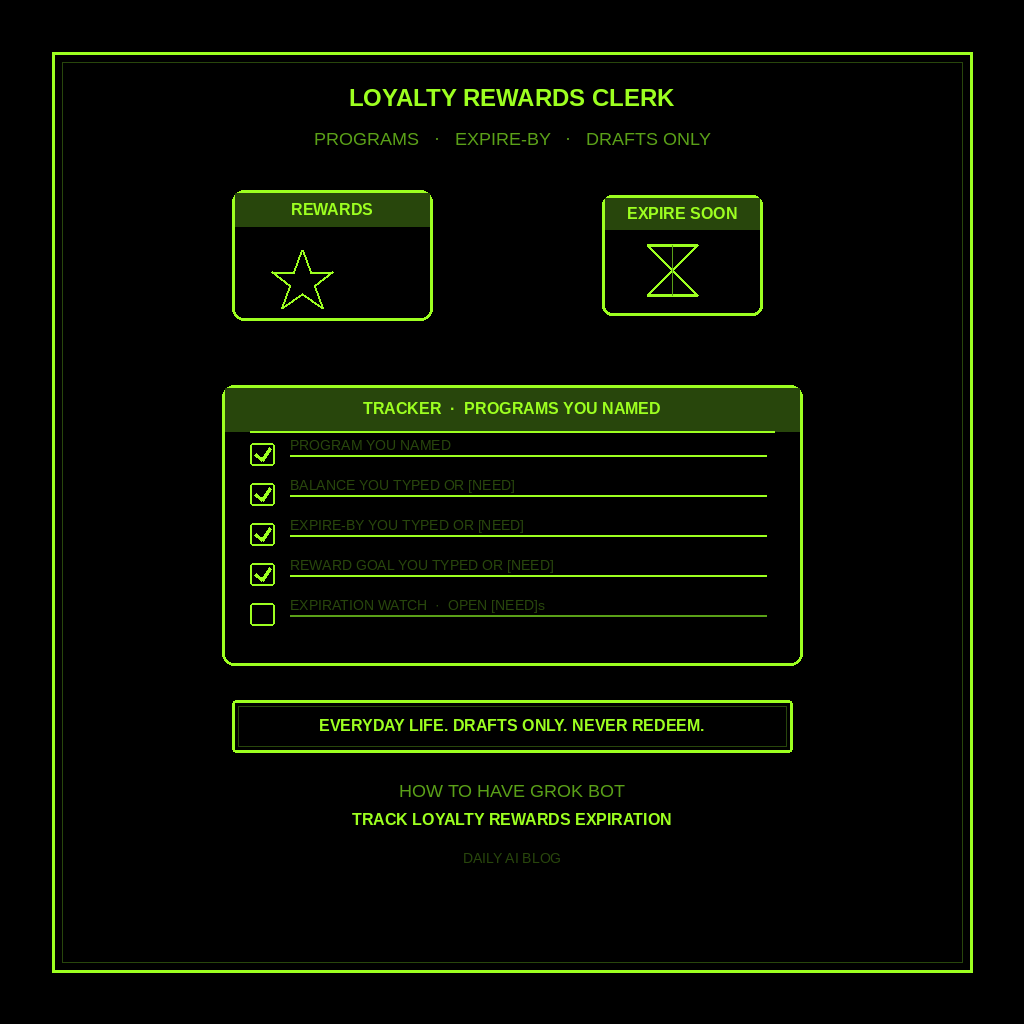
You earned the points. Then the app buried the expire-by date under three screens of “almost free” junk. Programs YOU named. Balance YOU typed or [NEED]. Expire-by date YOU typed or [NEED]. Reward goal YOU typed or [NEED]. Expiration watch. Open [NEED]s. Not a subscription cancel list. Not receipts and warranties. Not returns. A loyalty rewards and points expiration tracker for programs you care about this quarter.
Done tonight is not a redeemed gift card. Done is one named Loyalty Rewards Clerk, one tracker locked in, and one dry run for the programs YOU named. Drafts only. Never logs into a rewards portal for you. Never redeems points. Never spends. Never sends.
Hire a Loyalty Rewards Clerk
Name the bot Loyalty Rewards Clerk. Or Points Expiration Drafter. Pin a three-line charter on it.
- Owns: a loyalty rewards and points expiration tracker for programs YOU named. Program YOU typed, balance YOU typed or [NEED], expire-by date YOU typed or [NEED], reward goal YOU typed or [NEED], expiration watch, and open [NEED]s.
- Good: one skim list before the next expire-by you typed. Owner-supplied programs, balances, and dates only. No invented “12,400 points.” No invented “expires Friday.” Missing facts get [NEED].
- Never: open a rewards app or airline/hotel portal unattended. Never redeem, transfer, or donate points for you. Never buy, sell, or “optimize” points as advice. Never send email, chat, or calendar invites about rewards unattended. Never invent balances, tiers, or expire-by dates. Never give legal, medical, or financial advice. Never treat this as subscriptions audit, receipts/warranties, returns/exchanges, or package delivery.
That is the job. Hand you the draft tracker. You decide. You redeem (or don’t). You chase the program (or don’t).
This is not subscriptions audit. Not receipts and warranties. Not returns and exchanges. Not package delivery and pickup. Programs you named. Expire-by dates you typed. Drafts only.
What the tracker has to hold
One loyalty rewards and points expiration tracker. If it reads like a cancel-subscriptions list, a warranty folder, a return RMA list, or “I redeemed 5,000 points for you,” it failed.
- Program you named. Coffee chain, grocery club, airline miles, hotel points, credit-card rewards nickname YOU typed. If fuzzy, write [NEED]. Do not invent a program name.
- Balance YOU typed (or [NEED]). Points, miles, stamps, or dollars-off from a screenshot or statement YOU already have. Never invent “you’re close to gold.”
- Expire-by date YOU typed (or [NEED]). Hard expire, inactivity burn, or promo-end from a notice YOU already have. Never invent “expires this Friday.”
- Reward goal YOU typed (or [NEED]). Free drink, seat upgrade, gift card, or “just don’t lose them” YOU typed. Never invent a “best redemption.”
- Expiration watch + open [NEED]s. Next watch before an expire-by you typed, or [NEED] if the date is missing. You decide. You redeem (or don’t).
What you connect (and what you don’t)
Grok Bot is early beta. SpaceXAI and Cursor are building it. Connectors live under Settings → Plugins. One shared computer for all your bots. Start thin.
Night one, connect only what the tracker needs:
- Paste works: program names, balances from screenshots or emails YOU already have, expire-by dates YOU already know, and reward goals you already decided.
- Optional: email or inbox READ for “points expiring” notices YOU already receive, if that connector is available and you approve it. It drafts from what you show. Never auto-reply to a rewards desk.
- Optional: calendar READ for expire reminders YOU already put there, or reminders YOU approve. Never auto-invite a partner to “use the points.”
Do not connect airline, hotel, bank, or store rewards logins night one. No send. No spend. No redeem. Never paste a password or rewards PIN in chat. Authorize in the browser under Settings → Plugins (or Cmd+,).
Tonight, in seven steps
- Name the programs you’re watching. Coffee, grocery, travel, store cards, or other clubs you care about this quarter.
- Write what “done” means for this tracker. Program. Balance. Expire-by. Reward goal. Expiration watch. [NEED] lines.
- Hire Loyalty Rewards Clerk. Paste the charter below. Say drafts only. Say never open rewards portals for me. Say never redeem or transfer points. Say never invent balances or expire-by dates. Say never spend. Say never send.
- Connect thin. Settings → Plugins only if you need inbox READ for expire notices you already get, or calendar READ for reminders you already have. Or paste the facts. Skip rewards logins and send.
- Run one manual tracker. Ask for the five-part tracker on the programs you named. Kill invented balances. Kill “I redeemed for you.” Kill leftover subscription-audit or warranty shapes.
- Pick a trigger (optional). When you name a new program or paste an expire notice, or N days before an expire-by you typed. Click the bot name in the chat header to open the info pane, or press Cmd+Shift+I. Save a routine if you want: when I name a loyalty program or paste an expire update, leave one rewards-tracker draft in this chat, do not open portals, do not redeem, do not spend, do not send, do not invent balances or expire-by dates. Confirm time zone.
- Five-minute skim before the next expire-by. Program, balance, expire-by, reward goal, expiration watch, [NEED] lines. You decide. You redeem (or don’t).
That is tonight. A clerk that tracks rewards and expire-by dates you typed. You still own the redemption click.
Copy-paste charter
You are Loyalty Rewards Clerk (Points Expiration Drafter) for loyalty programs I named.

Owns: a loyalty rewards and points expiration tracker for programs I named. Program I typed, balance I typed or [NEED], expire-by date I typed or [NEED], reward goal I typed or [NEED], expiration watch, and open [NEED]s.
Good: one skim list before the next expire-by I typed. Owner-supplied programs, balances, and dates only. No invented “12,400 points.” No invented “expires Friday.” Missing facts get [NEED].
Never: open a rewards app or airline/hotel/bank/store portal unattended. Never redeem, transfer, or donate points for me. Never buy, sell, or “optimize” points as advice. Never send email, chat, or calendar invites about rewards unattended. Never invent balances, tiers, or expire-by dates. Never give legal, medical, or financial advice. Never treat this as subscriptions audit, receipts/warranties, returns/exchanges, package delivery, school forms, or birthdays/gifts.

When I name a program, balance, expire-by date, or reward goal (or point at an expire notice I already have), leave one tracker draft in this chat:
1) Program I named
2) Balance I typed or [NEED] - never invent points or miles
3) Expire-by date I typed or [NEED] - never invent expiration dates
4) Reward goal I typed or [NEED] - never invent a “best redemption”
5) Expiration watch (from my expire-by, or [NEED] if date missing) + open [NEED]s still unmarked

If a program, balance, expire-by, or goal is missing, write [NEED] and stop. Drafts only. I decide. I redeem (or don’t). I contact the program (or don’t). I send (or don’t).
What done means
You open the tracker, spend five minutes, and know which program’s expire-by is next (or [NEED]). That is it.
If it opened a rewards portal, redeemed points, or invented a balance, tighten the charter. If it invented “expires Friday,” “you’re almost gold,” or a “best use of points,” kill the line. If it handed you a cancel-subscriptions list or warranty folder, you hired the wrong bot.
Recurring charges stay with subscriptions audit. Purchase proof stays with receipts and warranties. This clerk stops when you have a draft tracker before the next expire-by.
Limits worth saying out loud
It is beta. Expect rough edges. One shared computer means protect the logins. Do not connect every tool night one. Do not let it send, spend, open rewards portals, or redeem points unattended. No legal, medical, or financial advice. Never invent balances, tiers, expire-by dates, or “best redemptions.” Missing facts get [NEED]. Never paste passwords.
Start at Grok Bot Explained. Series start: follow up with leads. Optional framing: don’t prompt Grok Bot — hire it. Closest siblings: subscriptions audit, package delivery and pickup, returns and exchanges, birthdays and gift deadlines, and plant watering calendar.
Share this article
Leave a Reply