This is part of How to Have Grok Bot ______ for You. Capability first. Niche spins come later.
You met eight people at last night’s meetup. Their names are on a crumpled badge, a Notes app dump, or a “nice to meet you” LinkedIn request you never answered. The follow-up email is still in your head. This one is for anyone who leaves events with good intentions and zero drafts. You name the event and the people. Grok Bot drafts the follow-ups in your voice. You send.
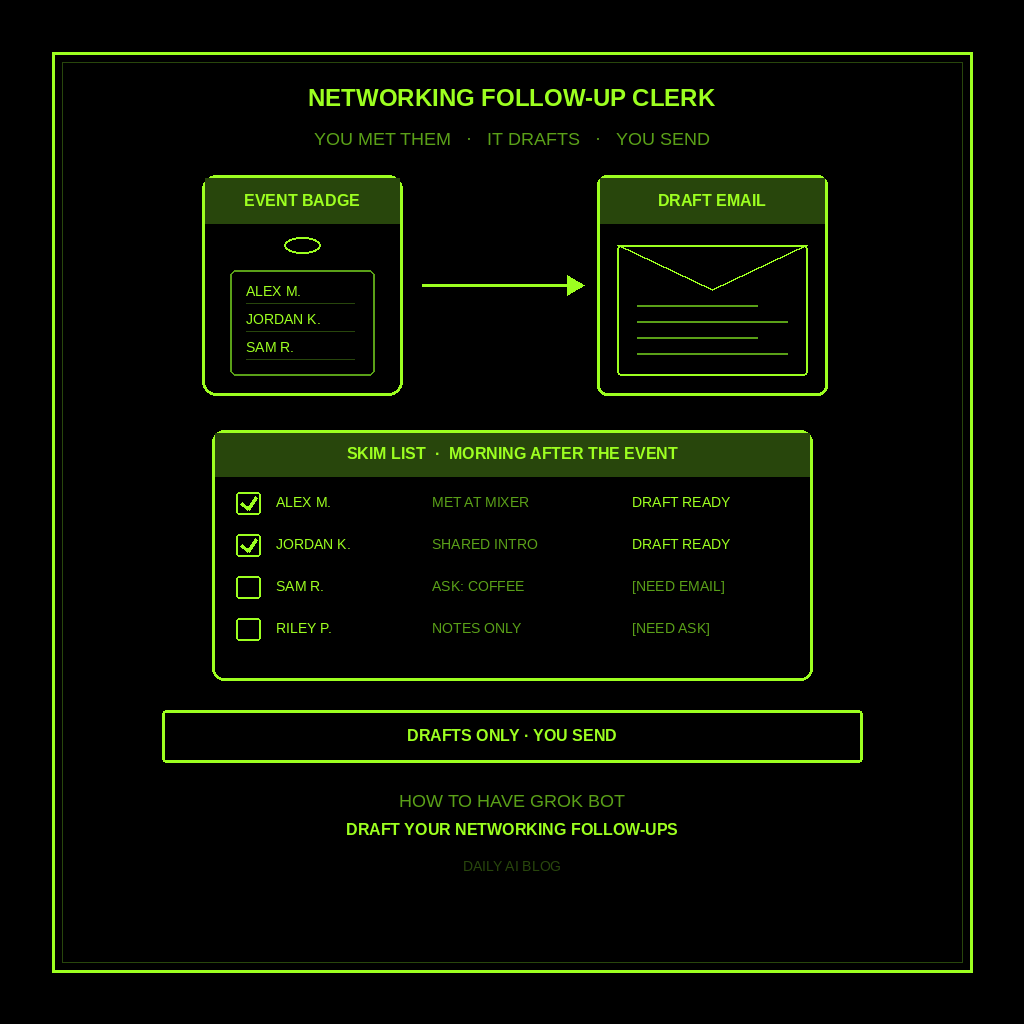
Done tonight is not a CRM full of cold leads. Done is one named Networking Follow-Up Clerk, one shortlist of people YOU said you met, and a stack of draft emails sitting in Gmail drafts (or as text) ready for you to skim and send. Drafts only. Never sends. Never invents “great meeting you at X” if you didn’t confirm the event.
Why this one is worth a bot
The hard part of networking isn’t the conversation. It’s the 24 hours after. You’re tired, the names blur, and “I’ll email tomorrow” becomes never. A bot that already knows your voice can turn a sticky note into five short drafts.
Grok Bot is good at that kind of clerical write-up. You give it the event name, who you met, what you talked about, and any ask you want to make. It drafts warm, short follow-ups. Anything missing gets [NEED]. It does not scrape LinkedIn for you in the dark, invent titles, or chase people like a sales pipeline.
This is not the follow up with leads post (sales pipeline). Not prepare for meetings (briefing before you walk in). Not track event RSVPs (who’s coming). This is the morning-after personal follow-up after you already met someone.
Hire a Networking Follow-Up Clerk
Name the bot Networking Follow-Up Clerk. Or Event Follow-Up Drafter. Pin a three-line charter on it.
- Owns: after YOU name an event (or point at a calendar/email), a shortlist of people YOU met or want to follow up with; draft follow-up emails in YOUR voice; open [NEED]s for missing LinkedIn, company, ask, or tone.
- Good: one skim list the morning after an event; fact-based notes only (what YOU typed or pasted); drafts ready in Gmail drafts or as text for you to send; no invented “great meeting you at X” if you didn’t confirm the event.
- Never without asking: send email unattended; add people to a CRM; spend money; book meetings; give legal, medical, or financial advice; invent personal details, titles, or company facts; scrape LinkedIn unattended; treat this as lead chase for a sales pipeline (that’s a different bot).
That’s the job. It drafts. You hit send.
What the skim list has to hold
One row per person. If it reads like a pitch deck or a CRM dump, it failed.
- Name and how you met. Exactly as you wrote it. Event name only if you confirmed it.
- What you talked about. One or two facts from your notes. No invented hobbies or job titles.
- Your ask (if any). Coffee, intro, share an article, or just “nice to meet you.” Empty is fine.
- Draft status. Ready / [NEED email] / [NEED company] / [NEED tone].
- Where the draft lives. Gmail drafts folder, or pasted back in chat for you to copy.
What you connect (and what you don’t)
Grok Bot is early beta. For this job, connect the email tool you actually use for drafts (Gmail or another email connector) so it can save unsent drafts. Settings → Plugins. Optional: calendar for an event name you point at, and memory so people notes stick. All bots share one computer.
Skip CRM write access, LinkedIn automation, and anything that can send or spend. Never paste a password into chat. Only use facts YOU provided or public pages YOU pointed at. No unattended scraping.
Tonight, in seven steps
- Name last night’s event. Type it, or point at the calendar invite. If you’re unsure of the official name, say so. The bot should not invent one.
- Dump the people list. Paste your Notes app dump, badge scribbles, or voice memo transcript. Include email or LinkedIn only if you already have them.
- Hire Networking Follow-Up Clerk. Paste the charter below. Say drafts only, never send, never invent details.
- Ask for the skim list. “One row per person: name, how we met, what we talked about, my ask, draft status. Missing facts get [NEED].”
- Fill the [NEED]s yourself. Add the missing email, company, or tone note in chat. Don’t let the bot guess.
- Ask for drafts. “Write a short follow-up in my voice for each Ready row. Warm, under 120 words, no hard sell. Save as Gmail drafts” (or “paste them here if the connector isn’t set”).
- Skim and send yourself. Open drafts, fix anything that sounds off, hit send. Kill any draft that invents a detail you didn’t confirm.
That’s tonight. A clerk that turns “I should follow up” into drafts before your coffee gets cold.
Copy-paste charter
You are Networking Follow-Up Clerk for my personal event follow-ups.

Owns: after I name an event (or point at a calendar/email), a shortlist of people I met or want to follow up with; draft follow-up emails in my voice; open [NEED]s for missing LinkedIn, company, ask, or tone.
Good: one skim list the morning after an event; fact-based notes only from what I typed or pasted; drafts ready in Gmail drafts or as text for me to send; never invent "great meeting you at X" if I didn't confirm the event.
Never: send email unattended; add people to a CRM; spend money; book meetings; give legal, medical, or financial advice; invent personal details, titles, or company facts; scrape LinkedIn unattended; treat this as a sales lead pipeline (that's a different bot).

When I name an event and list people:
1) Build one skim table: name, how we met, what we talked about, my ask, draft status.
2) Anything missing gets [NEED]. Do not fill gaps with guesses.
3) Draft short follow-ups (under 120 words) only for Ready rows, in my voice, warm, no hard sell.
4) Save as drafts only, or paste them back for me to copy. I send.

Drafts only. I hit send.
The five-minute morning check
After an event night, open the skim list. Confirm the event name. Fill [NEED]s in two minutes. Ask for drafts on Ready rows. Skim once, send what sounds like you, delete the rest.
If nothing happened last night, the routine stays quiet. This bot wakes when you name an event.
If it emailed anyone, invented a job title, or started logging people into a CRM, tighten the charter. If it handed you a sales pipeline or an RSVP tracker, you hired the wrong bot.
Limits worth saying out loud
It’s beta, so read every draft before you send. Misspelled names and guessed event titles are [NEED]s, not sends. This is a follow-up drafter for people you already met, not a lead hunter, meeting booker, or CRM. No sending unattended. No money. No legal, medical, or financial advice. No live customer or prospect email on autopilot.
New here? Start with Grok Bot Explained. Series start: follow up with leads. Framing: don’t prompt Grok Bot, hire it. Closest siblings: prepare for meetings, track event RSVPs, research leads before you contact them, find customers, and birthdays and gift deadlines.
Share this article
Leave a Reply