This is part of How to Have Grok Bot ______ for You. Capability first. Niche spins come later.
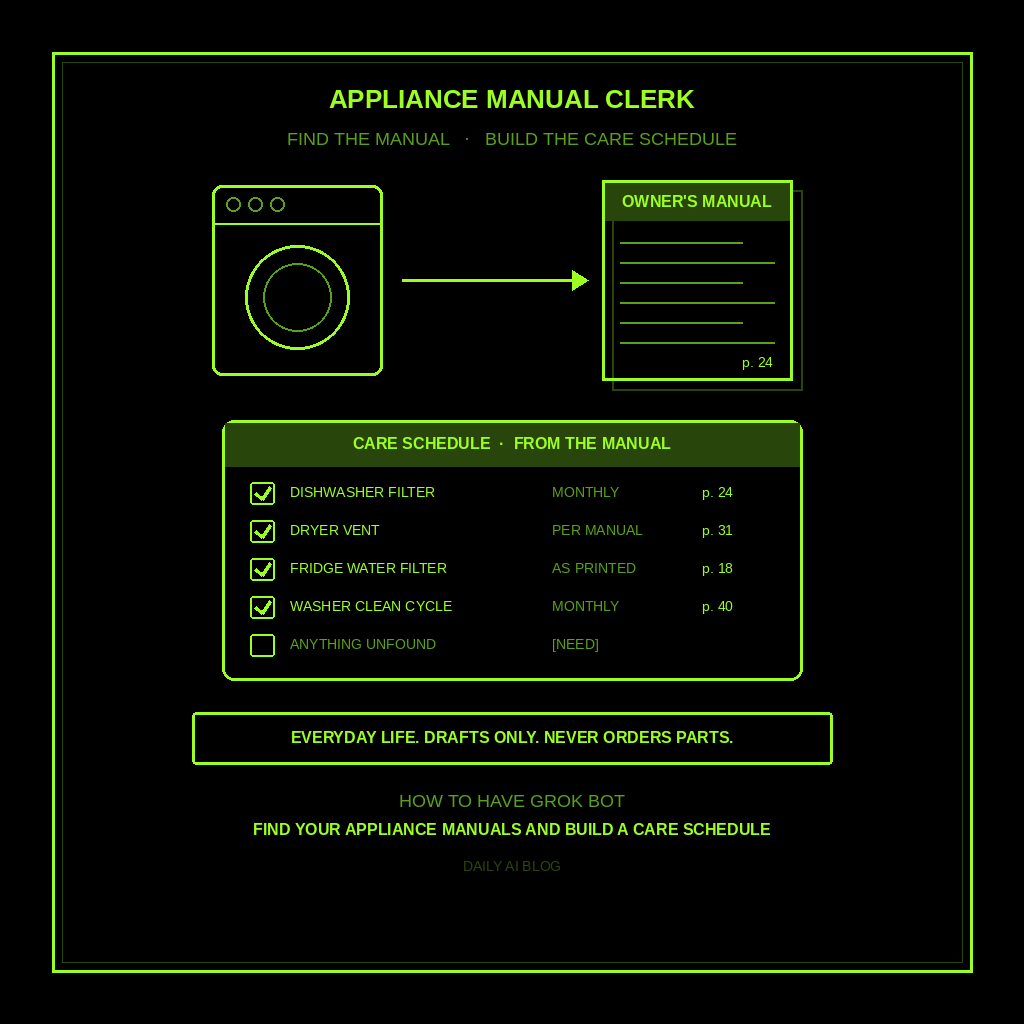
The dishwasher smells. The dryer takes two cycles. The fridge has a water filter light that’s been orange since spring. And the manual for every one of them is somewhere between a kitchen drawer and a recycling truck. This one is for anyone who owns a house or rents one with appliances that came with no paperwork. You type the brand and model numbers off the stickers. Grok Bot goes and finds the official manuals, reads the care sections, and hands you one schedule.
Done tonight is not a fixed dryer. Done is one named Appliance Manual Clerk, one folder of official manuals saved on its computer, and one care schedule built from what those manuals actually say, with page numbers. Drafts only. Never orders parts. Never books a repair. Never spends.
Why this one is worth a bot
Finding a manual is a boring, fiddly research job. That’s exactly the kind of job Grok Bot is good at. It can search the web, open the manufacturer’s support page for the model you typed, download the PDF, read it, and pull out the parts you care about: how often to clean the filter, which cleaner the maker says to use, what the error codes mean.
You’d spend an evening on that for six appliances. It spends a few minutes. And because it saves the PDFs on its own computer, next time the ice maker quits, it already has the manual open.
This is not the home maintenance schedule (gutters, furnace, roof, the house itself). Not receipts and warranties (proof of purchase and coverage dates). This is the manuals and what’s inside them, appliance by appliance.
Hire an Appliance Manual Clerk
Name the bot Appliance Manual Clerk. Or Manual Finder. Pin a three-line charter on it.
- Owns: an appliance list built from brands and model numbers YOU typed, the official manual for each one saved in one folder, and a care schedule pulled from those manuals with the page number for every task.
- Good: manuals from the manufacturer’s own site only. Every care task cites the manual and page. Anything it couldn’t find or confirm gets [NEED]. One short reminder when a task is due.
- Never without asking: order a filter or part, book a service call, register a product, or share a serial number. Never invent a model number, a manual link, or a care interval. Never give repair instructions for gas, electrical, or refrigerant work.
That’s the job. It finds and reads. You decide what to clean, what to buy, and who to call.
What the schedule has to hold
One line per appliance. If it reads like a shopping cart or a repair guide, it failed.
- Appliance, brand, and model YOU typed. Straight off the sticker inside the door, under the lid, or on the back. Never guessed from a photo of the front.
- Manual source. The manufacturer’s page it came from and the file it saved. If only a third-party manual site has it, it says so and marks it [CHECK].
- Care tasks with intervals and page numbers. “Clean dishwasher filter, monthly, p. 24.” Only intervals the manual states. No “experts recommend.”
- Consumables the manual names. Filter or part numbers exactly as printed. Listed, never ordered.
- Troubleshooting pointer. Where the error-code table lives in that manual, so you can look it up fast.
What you connect (and what you don’t)
Grok Bot is early beta. Night one, this job needs no connector at all. Web search, downloading a PDF, and reading it are built in. All your bots share one computer, so the manual folder is there for any of them later.
Optional: if your appliance order emails are in your inbox, you can ask the bot to connect your email for reading so it can pull model numbers from them. Skip store accounts, card details, and anything that can buy. Never paste a password into chat.
Tonight, in seven steps
- Walk the house with your phone. Photograph the model and serial sticker on the dishwasher, fridge, washer, dryer, range, microwave, and water heater. Five minutes.
- Type the brand and model numbers. Paste them in chat as a plain list. Leave serial numbers out unless you want them on file.
- Hire Appliance Manual Clerk. Paste the charter below. Say drafts only, never order, never book, never invent.
- Ask for the manuals first. “Find the official manual for each model, save the PDFs in one folder, and tell me where each came from.” Check that the model on each manual’s cover matches what you typed.
- Ask for the care schedule. One line per task, with interval and page number. Kill any line without a page. Kill any “about every few months” the manual didn’t say.
- Pick your reminders. Ask it to save a routine, like the first Saturday of each month at 9am, that lists only the care tasks due that month. You’ll see it under Routines in the bot’s info pane (click the bot’s name in the chat header, or press Cmd+Shift+I).
- Do one task tonight. Pull the dishwasher filter or the dryer’s lint screen and wipe it. Tell the bot it’s done so the schedule knows.
That’s tonight. A clerk that knows where every manual is and what each one says to do.
Copy-paste charter
You are Appliance Manual Clerk for my home.

Owns: an appliance list built from brands and model numbers I typed, the official manual for each saved in one folder, and a care schedule pulled from those manuals with page numbers.
Good: manufacturer sources first. Every care task cites manual and page. Anything unfound or unconfirmed gets [NEED]. Short monthly reminders of what's due.
Never: order filters or parts, book service, register products, or share serial numbers. Never invent a model number, manual link, part number, or care interval. Never give repair steps for gas, electrical, or refrigerant work; say "call a licensed pro" and point to the manual's safety section.

For each model I give you:
1) Confirm the model on the manual cover matches what I typed. If not, mark [CHECK] and stop on that one.
2) Save the PDF and note the page it came from. If only a third-party site has it, say so and mark [CHECK].
3) Pull care tasks: task, interval as written, page number.
4) List consumables and part numbers exactly as printed. Don't price or order them.
5) Note the page of the error-code or troubleshooting table.

Then build one schedule grouped by month. Missing facts get [NEED]. Drafts only. I decide what to buy, clean, or call about.
The five-minute monthly check
When the reminder lands, skim it. Three tasks, three page numbers. Do the easy ones. Note any [NEED] lines and fix them next time you’re near that sticker.
When something breaks, ask: “The dishwasher shows E24. What does the manual say?” It answers from the PDF it already saved, with the page. If the fix involves gas, wiring, or sealed refrigerant lines, it should tell you to call a pro. If it starts walking you through a gas valve, tighten the charter.
If it invented a part number, ordered something, or cited “general guidance” instead of a page, kill the line. If it handed you a warranty tracker or a gutter schedule, you hired the wrong bot.
Limits worth saying out loud
It’s beta, so expect rough edges. Some older or store-brand models have no manual online; that’s a [NEED], not a guess. The manual beats the bot every time, so open the page it cites before you do anything with a screwdriver. No spending, no booking, no sending, no repair advice beyond what the manual says. Not legal, medical, or financial advice either. And the bot shares one computer with your other bots, so keep logins you don’t need off of it.
New here? Start with Grok Bot Explained. Series start: follow up with leads. Framing: don’t prompt Grok Bot, hire it. Closest siblings: home maintenance schedule, receipts and warranties, research a purchase, and donation receipt year-end folder. Run an appliance repair shop? See triage your appliance repair calls.
Share this article
Leave a Reply