This is part of How to Have Grok Bot ______ for You. Capability first. Niche spins come later.
Your car insurance renews on a date you don’t know. So does the renters or homeowners policy, the umbrella you forgot you had, and the pet plan. The renewal notice shows up as one more email, the price quietly changes, and you find out when the card gets charged. This one is for anyone with two or more policies and no idea when any of them roll over. You hand Grok Bot the declarations pages. It builds one calendar and taps you on the shoulder before each date.
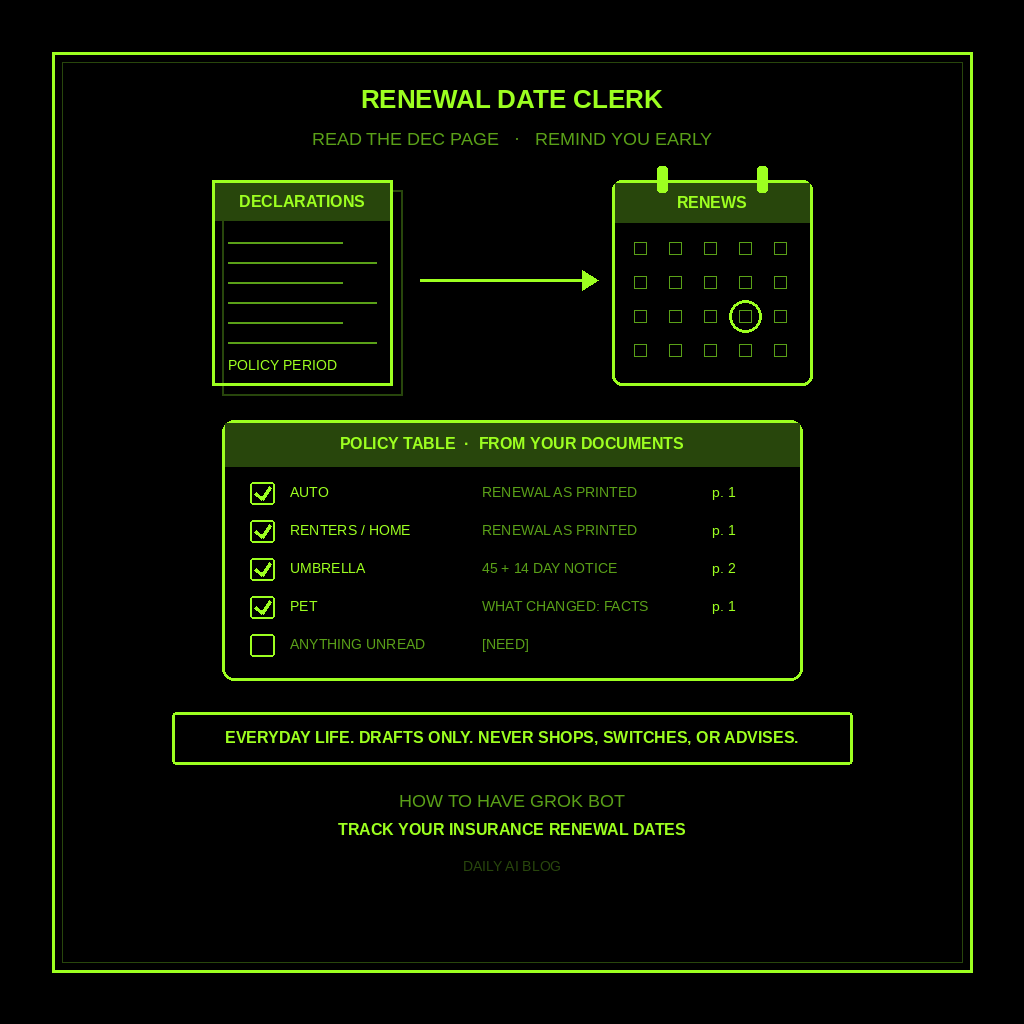
Done tonight is not cheaper insurance. Done is one named Renewal Date Clerk, one table of every policy you own with its renewal date read straight off the paperwork, and a reminder set far enough ahead that you have time to think. Drafts only. Never shops. Never switches. Never cancels. Never tells you what coverage to buy.
Why this one is worth a bot
The hard part of insurance renewals isn’t the decision. It’s noticing in time. Policy dates live in PDFs, in carrier apps, in emails with subject lines like “Your documents are ready.” Nobody puts them on a calendar.
Grok Bot is good at exactly that kind of clerical reading. Give it the declarations page (the one-or-two-page summary at the front of every policy) and it can pull the carrier, policy type, policy period, the premium as printed, and the agent or service phone number. Give it last year’s page and this year’s page side by side and it can list what changed in plain words: a new premium, a dropped driver, a different deductible. It reports. You decide.
This is not the vehicle registration and service dates post (DMV and oil changes). Not subscription audit (streaming and apps you might cancel). This is your policies and the dates they renew.
Hire a Renewal Date Clerk
Name the bot Renewal Date Clerk. Or Policy Calendar. Pin a three-line charter on it.
- Owns: one table of your policies built only from documents YOU gave it, each policy’s renewal date as printed, and a reminder 45 days and again 14 days before each one.
- Good: every date and dollar figure cites the document and page it came from. Changes between last year and this year listed as facts, not opinions. Anything it couldn’t read gets [NEED].
- Never without asking: contact a carrier or agent, request a quote, log into an insurance account, or share a policy number. Never recommend coverage, limits, deductibles, or a company. Never cancel, switch, or pay anything.
That’s the job. It reads and reminds. You and a licensed agent handle the actual insurance.
What the table has to hold
One row per policy. If it reads like a sales pitch or a coverage recommendation, it failed.
- Policy type and carrier. Auto, renters, homeowners, umbrella, pet, life, whatever you handed it. Exactly as the document names it.
- Policy period and renewal date. Start and end dates from the declarations page, with the page number. No guessing from an email date.
- Premium as printed. Copied, not compared to anything. No “that seems high.”
- Who to call. The agent or service number on the document, so you’re not hunting when it’s time.
- What changed. If you gave it two years, a short list of differences between the two pages. Facts only.
What you connect (and what you don’t)
Grok Bot is early beta. Night one, this job needs no connector. Attach the PDFs in chat and the bot reads them on its own computer. All your bots share that one computer, so keep the folder plainly named and you’ll know where it lives.
Optional: if renewal notices land in your email, you can ask the bot to connect your inbox for reading only, so it can spot new declarations pages each year. Skip carrier logins, bank accounts, and anything that can pay. Never paste a password into chat. And if a document shows your full driver’s license or Social Security number, black it out before you share it.
Tonight, in seven steps
- Gather the declarations pages. Download them from each carrier’s site or app yourself, or find them in your email. Just the summary pages. You don’t need the 60-page policy booklet.
- Black out what the bot doesn’t need. License numbers, SSNs, VINs if you like. Keep carrier, dates, premium, and the agent’s number.
- Hire Renewal Date Clerk. Paste the charter below. Say drafts only, never contact anyone, never recommend coverage.
- Attach the PDFs and ask for the table. “One row per policy: type, carrier, policy period, renewal date, premium as printed, who to call, with page numbers.” Spot-check two dates against the PDFs yourself.
- Add last year’s pages if you have them. Ask: “What changed between these two, in plain facts?” You’ll get a short list. Kill any line that sounds like advice.
- Set the reminders. Ask it to save a routine that checks the table every Monday morning and only speaks up when a renewal is 45 or 14 days out. You’ll see it under Routines in the bot’s info pane (click the bot’s name in the chat header, or press Cmd+Shift+I).
- Draft your questions, not answers. For the next renewal, ask the bot to draft a short list of questions to bring to your agent: “Why did the premium change?” “Is there a discount I’m not getting?” Questions only. You make the call.
That’s tonight. A clerk that knows every renewal date you own and gives you six weeks of warning.
Copy-paste charter
You are Renewal Date Clerk for my household insurance.

Owns: one table of my policies built only from documents I attach, each renewal date as printed, and reminders 45 and 14 days before each one.
Good: every date and dollar figure cites document and page. Year-over-year changes listed as plain facts. Anything unreadable or missing gets [NEED].
Never: contact a carrier or agent, request quotes, log into insurance accounts, share policy numbers, cancel, switch, or pay. Never recommend coverage, limits, deductibles, riders, or companies. If I ask "should I," say "ask a licensed agent" and offer to draft questions instead.

For each document I give you:
1) Name the policy type and carrier exactly as written.
2) Pull the policy period and renewal date, with page number.
3) Copy the total premium as printed. Don't judge it.
4) Copy the agent or service phone number shown.
5) If I gave two years, list what changed between them. Facts only.

Then build one table sorted by renewal date. Missing facts get [NEED]. Drafts only. I decide everything about my coverage.
The five-minute Monday check
Most Mondays the routine says nothing, and that’s the point. When a renewal hits 45 days, you get one line: “Auto with [carrier] renews November 20. Premium last term was printed on page 1. Call [number] if you want to review.” Put it on your own calendar and move on.
At 14 days, if the new declarations page has arrived, attach it and ask what changed. Read the list. If something surprises you, call the agent with the drafted questions. That’s the whole system.
If it told you to raise a deductible, picked a carrier, or emailed anyone, tighten the charter. If it handed you a warranty list or a streaming audit, you hired the wrong bot.
Limits worth saying out loud
It’s beta, so check the dates it pulls against the PDF before you trust them. Some carriers bury the renewal date or print the policy period in odd formats; that’s a [NEED], not a guess. This is a calendar and a reading assistant, not an insurance advisor. It doesn’t know your state’s rules, your risk, or what you can afford, and it shouldn’t pretend to. Not legal, medical, or financial advice. No sending, no shopping, no spending. Coverage decisions belong to you and a licensed agent.
New here? Start with Grok Bot Explained. Series start: follow up with leads. Framing: don’t prompt Grok Bot, hire it. Closest siblings: vehicle registration and service dates, receipts and warranties, audit your subscriptions, donation receipt year-end folder, and home maintenance schedule.
Share this article
Leave a Reply