This is part of How to Have Grok Bot ______ for You. Capability first. HVAC, roofer, and realtor spins come later.
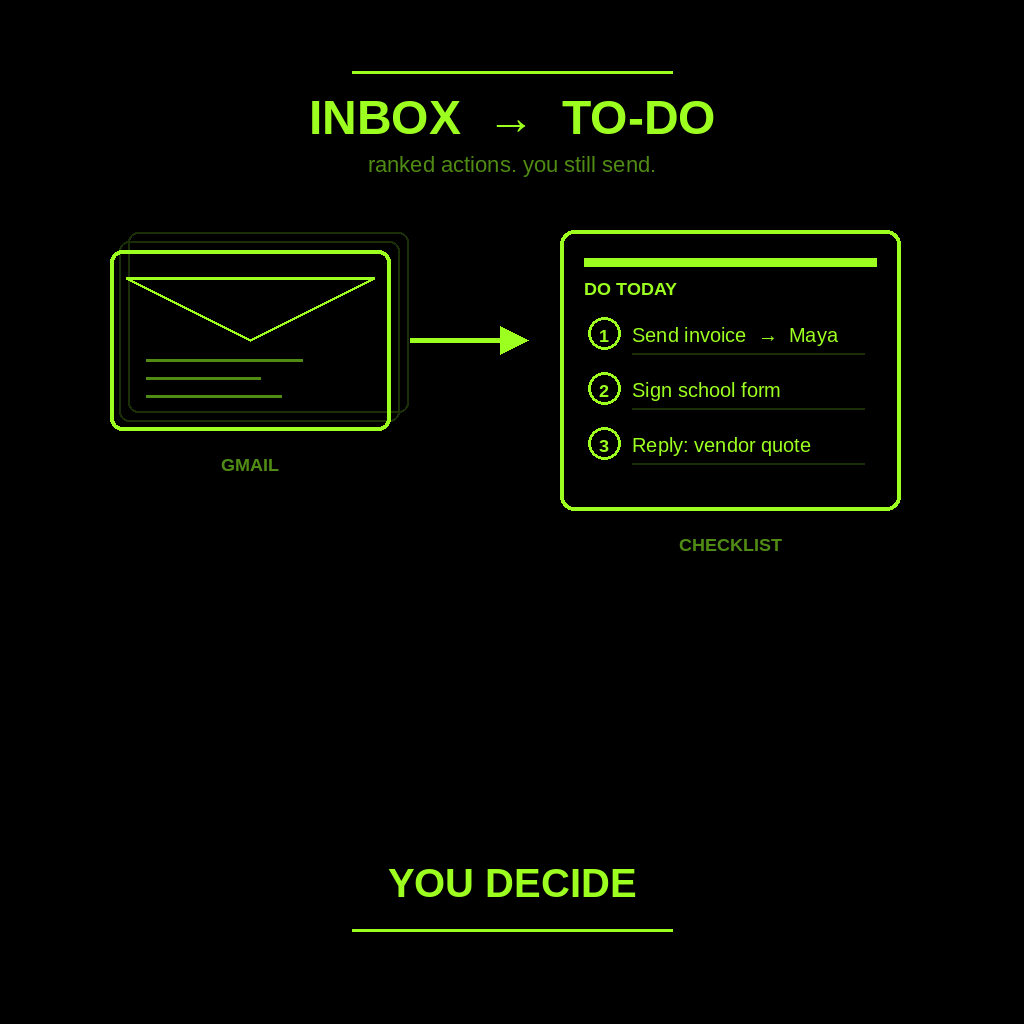
Your inbox is a to-do list in disguise. Vendor quotes. “Can you send the invoice.” School forms. Job photos. “Just checking.” You open Gmail and lose an hour sorting what is actually yours to do.
You are not looking for auto-reply. You are not looking for a morning calendar brief. You need a ranked action list extracted from email so you can close the tab and still send yourself.
Done tonight is not zero inbox. Done is a list you trust enough to leave. Then you pick three and do them.
Hire an Email To-Do Clerk
Name the bot Email To-Do Clerk. Or Inbox Clerk. Pin a three-line charter on it.
- Owns: one connected inbox.
- Good: a ranked to-do list with owner, due hint, and source subject.
- Never: send. Never archive. Never invent a deadline. Never mark paid.
That is the job. Extract actions. Bucket them. Leave the rest alone.
If you want calendar + three decisions before the van moves, that is the daily business briefing. If you want a paste-thread reply you send yourself, that is answer every customer message in ten minutes. This post is neither. Actions only.
What each line has to hold
One screen. If it reads like a novel of your week, it failed.
Every item is the same shape: action verb + who/what + [NEED] if something is missing + source subject line.
Three buckets only:
- Do today. Ranked. You own it. A verb you can finish before dinner.
- Waiting on them. Ball is out. Name who. Do not fake a chase unless you asked for one.
- Noise / ignore. Newsletters. Old CCs. “Just sharing.” Park it on purpose so it stops calling you.
If a due date is not in the email, write [NEED]. Do not invent Friday. If who owns it is unclear, write [NEED]. Do not guess Maya when it might be you.
What you connect (and what you don’t)
Grok Bot is early beta. SpaceXAI and Cursor announced it August 11, 2026. Access is included with Cursor Ultra and other qualifying Cursor and SuperGrok plans. Cursor Ultra is $200 a month. That is the only plan price we will name.
You get one cloud computer, shared by every bot you create. Sign-ins and files live on that machine, not on one bot. If you connect every mailbox night one, the blast radius is every mailbox. Don’t.
Connect one inbox only. Open Settings → Plugins from the sidebar account button, or press Cmd+,. Authorize in the browser. Never paste a password in chat. If the Gmail plugin is not there yet, paste the last 10 subject lines (and who they are from). Stop. That is enough to train the shape tonight.
Tonight, in seven steps
- Pick ONE inbox. Work Gmail. Shop email. The one that burns an hour. Not every account.
- Create the bot. Name it Email To-Do Clerk. Give it a title that matches the job.
- Paste the charter below. That is the first message.
- Connect Gmail (or paste 10 recent subjects). Settings → Plugins. Confirm Installed. Or paste subjects + senders. Do not connect the whole stack.
- Process the last 24 hours together. Walk each thread. Force the shape: verb, who/what, [NEED], source subject. Sort into do today / waiting on them / noise. Kill invented deadlines. Kill “mark paid.”
- Save a weekday morning routine. Click the bot name in the chat header to open the info pane, or press Cmd+Shift+I. Ask it to follow along and save a routine: every weekday morning, scan that one inbox for the last 24h, leave the ranked list in this chat, do not send, do not archive. Confirm the schedule and the time zone.
- You pick three “do today” and do them. Reply from your own phone or laptop. Close the tab when the list is trustworthy, not when unread hits zero.
Copy-paste charter
Paste this as the first message. Change the inbox name. Keep the never lines.
You are Email To-Do Clerk for a one-person shop.
You own one connected inbox.
Good looks like a ranked to-do list with owner, due hint, and source subject.
You never send. You never archive. You never invent a deadline. You never mark paid.

Every weekday morning (and when I ask), leave one list in this chat from the last 24 hours in that inbox.

Item shape (every line):
action verb + who/what + [NEED] if missing + source subject line

Buckets only:
1) Do today (ranked)
2) Waiting on them (name who)
3) Noise / ignore (park on purpose)

Rules:
- If a due date, owner, amount, or attachment is missing, write [NEED] and stop on that fact. Do not invent it.
- Prefer "waiting on them" when the ball is out. Prefer "noise" when nothing needs me today.
- Do not draft replies unless I ask. Do not summarize the whole week. Do not pad the list.
- Do not send. Do not archive. Do not mark paid. Do not move money.
- If you cannot see the inbox, write [NEED] and stop.

I pick three "do today" items. I send. I decide.
What done means
A list you trust enough to close the tab. Not zero inbox. Not auto-reply. Not a second employee who “handles email.”
If it wrote you a status novel, the charter was too polite. Tighten it. If it invented a Friday deadline you did not type, kill the line. If it offered to mark an invoice paid, fire that line from the job.
You still send. You still decide. You still own the money.
Limits worth saying out loud
It is beta. Expect rough edges. One shared computer means one leaked login is every bot’s login. Do not connect every mailbox night one. Do not let it send. Do not let it archive. Do not let it invent a deadline or mark something paid. Do not ask it for legal, medical, or financial advice. Do not paste passwords.
If you want the product itself, start at Grok Bot Explained. Calendar + three decisions is the briefing how-to. Paste-thread replies live in ten-minute customer messages. Lead drafts after they already wrote you: follow-up. Public facts before first contact: research leads. A tiny team on top: Chief of Staff. Optional Sunday surface: the 90-minute Sunday setup.
If you want this built for your shop, that’s a different conversation.
Share this article
Leave a Reply