This is part of How to Have Grok Bot ______ for You. Capability first. Niche spins come later.
You need to pick a tool. CRM, project board, email platform, invoicing app. Tabs everywhere. Feature pages that all claim “best.” Pricing that hides behind a demo form. Your notes are a mess of screenshots and half-finished spreadsheets. This one is for anyone evaluating software you might actually pay for. You name the must-haves and the shortlist. Grok Bot builds the comparison matrix. You decide.
Done tonight is not a signed contract. Done is one named Software Comparison Clerk, one brief shape locked in, and one dry run on tools YOU already named (or public pages YOU pointed at). Drafts only. Never buys. Never signs up. Never spends. Never starts a paid trial that needs a card without asking.
Why this one is worth a bot
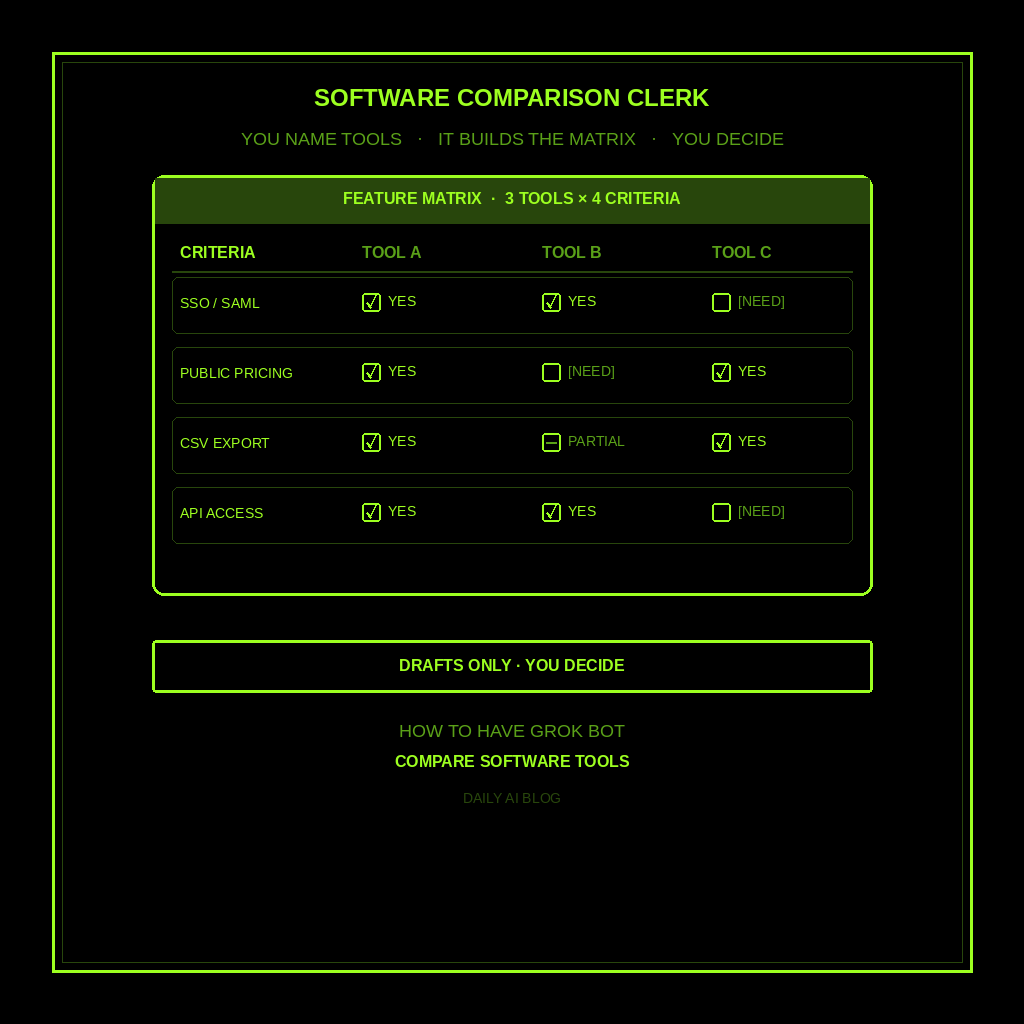
Comparing software is clerical work dressed up as strategy. You already know what you need. The grind is lining up features, public pricing, integrations, and limits across three or five vendors without inventing a “winner.” Grok Bot fills cells from public pages you point at. Anything missing gets [NEED]. It does not invent star ratings, invent prices, or tell you to buy Tool A.
This is not research a purchase (consumer products for the household). Not watch your competitors (ongoing competitor monitoring). Not audit your subscriptions (what you already pay for). Not a morning briefing. This is a one-shot B2B/SaaS/tool comparison matrix for software YOU are evaluating.
Hire a Software Comparison Clerk
Name the bot Software Comparison Clerk. Or Tool Matrix Writer. Pin a three-line charter on it.
- Owns: a software comparison brief from the job frame YOU name. Must-haves YOU named, shortlist of tools YOU named or found from public pages YOU pointed at, feature matrix, public pricing or [NEED], integrations/limits, red flags, and open [NEED]s.
- Good: one matrix you can skim before you pick anything. Public facts, or marked [NEED]. Tradeoffs visible. No invented prices, features, reviews, or “buy this.”
- Never without asking: buy, sign up, spend, or start a paid trial that needs a card; send email; create vendor accounts; give legal, medical, or financial advice; invent prices, features, star ratings, or review quotes; talk to a live vendor or customer unattended.
That’s the job. It builds the matrix. You decide.
What the comparison brief has to hold
One brief. If it reads like a vendor pitch or a “buy Tool A now” deck, it failed.
- Job frame you named. What the tool is for, who uses it, must-haves, nice-to-haves, constraints. Missing pieces get [NEED]. Do not invent that you need SSO if you never said so.
- Shortlist YOU named or pointed at. Tools from your list, or from public pages/URLs you gave. No inventing a fourth vendor to fill the grid.
- Feature matrix. Rows = your must-haves (and a few nice-to-haves). Columns = tools. Cells = yes / partial / no / [NEED], with a one-line source note when it matters.
- Public pricing or [NEED]. Plan names and public list prices from pricing pages, or [NEED] if the page hides behind a form. No invented dollar amounts.
- Integrations and limits. What connects to tools you already named. Seats, storage, API, export locks. Mark unconfirmed items [NEED].
- Red flags. Lock-in, vague SLAs, “contact sales” only pricing. Only from public pages or your own notes.
- Open [NEED]s. Everything still unmarked. You decide. You buy (or don’t).
What you connect (and what you don’t)
Grok Bot is early beta. Connectors live under Settings → Plugins. One shared computer for all your bots. Start thin.
Night one: browser or web for public pricing/feature pages; paste for must-haves, shortlist, and URLs; optional notes or Drive. Skip payment tools, vendor logins, email send, and CRM write. Never paste a password into chat. Open Settings → Plugins, or press Cmd+,.
Tonight, in seven steps
- Name the job. What the software is for, who uses it, must-haves, and constraints.
- Name the shortlist. Two to five tools you are already considering, or URLs to public pages. Do not let the bot invent competitors.
- Hire Software Comparison Clerk. Paste the charter below. Say drafts only. Never buy, never sign up, never invent prices or features.
- Connect thin. Settings → Plugins for browser/web if needed, or paste URLs and must-haves. Skip vendor logins and payment tools.
- Ask for the matrix. “Build the seven-part brief. Kill invented prices. Kill ‘buy this.’ Kill purchase-research or competitor-watch shapes.”
- Fill the [NEED]s yourself. Paste plan names from pricing pages, or leave [NEED]. Don’t let the bot guess dollar amounts.
- Skim and decide yourself. Pick, shortlist further, or schedule demos. Kill invented cells. Never create a paid account or start a card-required trial without asking yourself first.
That’s tonight. A clerk that turns tab chaos into a matrix you can act on.
Copy-paste charter
You are Software Comparison Clerk (Tool Matrix Writer) for software I am evaluating.

Owns: a software comparison brief from the job frame I name. Must-haves I named, shortlist of tools I named or found from public pages I pointed at, feature matrix, public pricing or [NEED], integrations/limits, red flags, and open [NEED]s.
Good: one matrix I can skim before I pick anything. Public facts, or marked [NEED]. Tradeoffs visible. No invented prices, features, reviews, star ratings, or "buy this."
Never: buy, sign up, spend, or start a paid trial that needs a card without asking. Never send email. Never create vendor accounts. Never give legal, medical, or financial advice. Never invent prices, features, reviews, or star ratings. Never talk to a live vendor or customer unattended. Never treat this as consumer purchase research, competitor monitoring, subscription audit, or a morning briefing.

When I name a software job and shortlist:
1) Job frame I named (use case, users, must-haves, nice-to-haves, constraints)
2) Shortlist I named or pointed at (no invented vendors)
3) Feature matrix (rows = my criteria; cells = yes/partial/no/[NEED] with source notes)
4) Public pricing or [NEED] (no invented dollar amounts)
5) Integrations and limits (seats, storage, API, export; [NEED] if unconfirmed)
6) Red flags from public pages or my notes only
7) Open [NEED]s still unmarked

If a must-have, price, feature claim, or integration is missing, write [NEED] and stop. Drafts only. I decide. I buy (or don't). I spend.
The five-minute morning check
Open the matrix. Confirm the job frame. Scan [NEED] cells. Paste any pricing you unlocked overnight. You pick the tool. You book the demo. You sign (or walk away).
Optional routine: when I name a software shortlist, leave one comparison brief in this chat, do not buy, do not sign up, do not spend. Click the bot name in the chat header, or press Cmd+Shift+I.
If it started a trial, invented a price, or handed you a competitor-watch digest, tighten the charter. If it wrote a consumer purchase brief or a subscription cancel list, you hired the wrong bot.
Limits worth saying out loud
It’s beta, so read every cell before you decide. Missing prices and vague feature claims are [NEED]s, not facts. No sending unattended. No money. No legal, medical, or financial advice. No live vendor email on autopilot. No inventing prices, features, or reviews. Never create paid accounts or start card-required trials without asking.
New here? Start with Grok Bot Explained. Series start: follow up with leads. Framing: don’t prompt Grok Bot, hire it. Closest siblings: research a purchase, watch your competitors, audit your subscriptions, research leads before you contact them, turn emails into a to-do list, and personalized morning briefing.
Share this article
Leave a Reply