This is part of How to Have Grok Bot ______ for You. Fourth niche spin. Plumbing only. Real desk workflows, not a find-replace of HVAC, roofing, or realtor.
You are the plumber and the office. Active leak texts at 6am. A property-manager work order that sat in Gmail while you were under a sink. A water-heater estimate that never got a bump. Leads do not die because you do not care. They die because triage never happened between jobs.
Done tonight is not “AI books the truck.” Done is one named Plumbing Work-Order Clerk, one inbox where callbacks and work orders die, and one dry-run stack of drafts sorted by real plumbing urgency. Drafts only. You send from the van.
Hire a Plumbing Work-Order Clerk
Name the bot Plumbing Work-Order Clerk. Or Callback Triage Drafter. Pin a three-line charter on it.
- Owns: unanswered plumbing calls, texts, and work-order emails in the one inbox where work dies. Classifies each thread by plumbing urgency. Leaves a send-ready draft (or a [NEED] line).
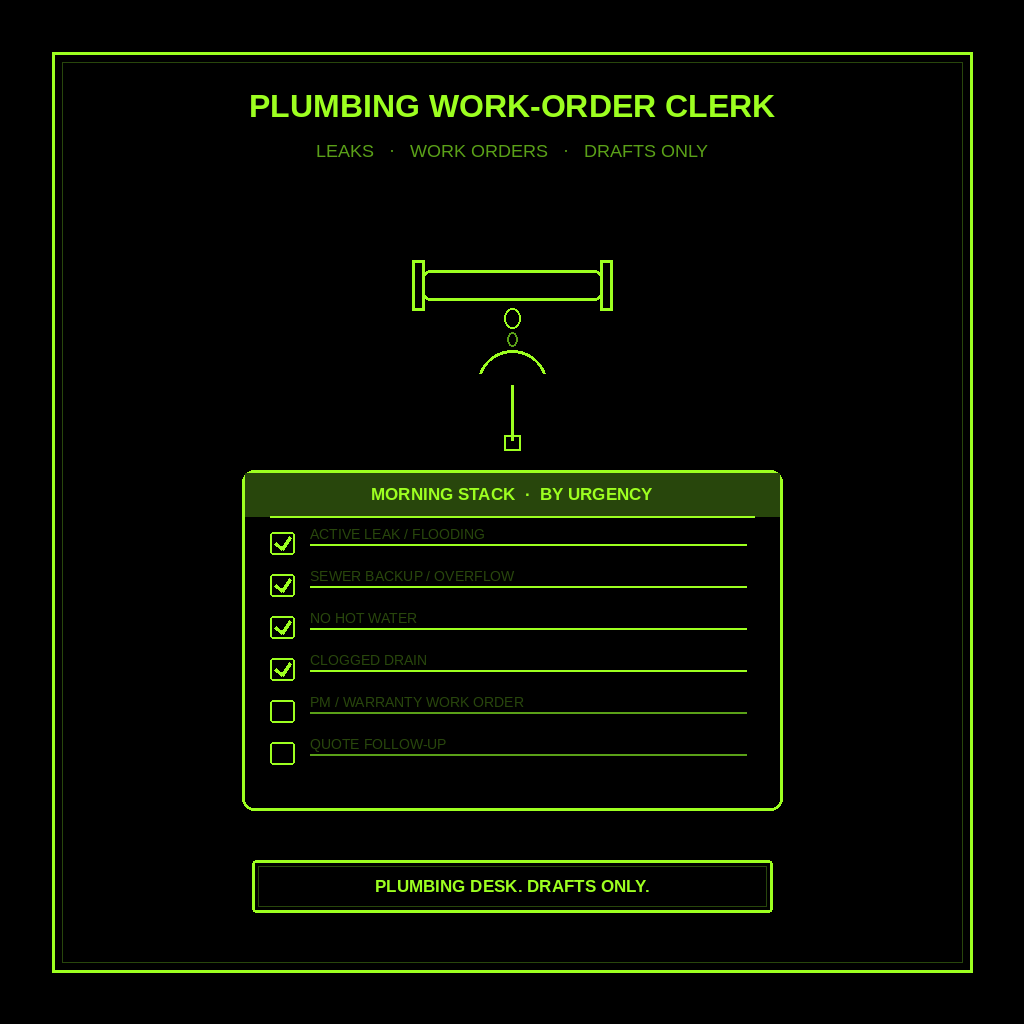
- Good: a morning stack on your phone: active leak / flooding first, then sewer backup, no hot water, clogged drain, property-manager / warranty work orders, quote follow-ups, then fixture drips that can wait. Different copy per class. No one template.
- Never: send. Never invent a price, ETA, or “we’ll be there at 2.” Never diagnose the pipe over text. Never book without a slot you typed and a customer yes you own. Never give legal, medical, or financial advice. Never talk to a live customer unattended.
That is the job. Sort the pile. Draft what you would actually say. Leave the send and the book to you.
This is not the generic follow-up with leads post (any local shop). Not HVAC call triage (no-cool, filters, parts). Not storm lead chase (roof leaks, adjusters, install). Not showing follow-ups (tours, portal leads, open houses). This is Small Business / plumbing. Water. Sewer. Water heater. Work orders from PMs and warranty desks.
What the stack has to hold
One screen. If every draft sounds the same, it failed.
- Active leak / water running / flooding. Same-day priority. Short. Empathy. Ask where the water is, whether they shut the valve, and whether anyone is home. Do not invent a diagnosis or “we’ll be there at 2.”
- Sewer backup / toilet overflow. Same-day when waste water is involved. Ask floor, how many fixtures, and whether water is still rising. Never invent a camera find or a main-line yes/no.
- No hot water / water heater out. Ask tank or tankless if they know it, age if they know it, and whether cold still runs. Hold price and ETA only if you typed them.
- Clogged drain / toilet (non-overflow). Confirm which fixture, how long, and whether they tried a plunger. Offer two real windows you typed. No invented snake time.
- Property manager / warranty / facility work order. Different voice. Confirm the WO number, site address, access instructions, and requested window from the email you have. Never invent a PO, billing rate, or “approved” status. If the note is incomplete, [NEED] and stop.
- Remodel / repipe / water heater quote follow-up. 24-hour bump if quiet after walkthrough. Name the job they asked about. Hold the number only if you typed it. Offer approve, adjust scope, or reschedule.
- Fixture drip / slow leak (can wait). Honest priority. Short status. One clean next step. No guilt trip. No upsell unless they asked.
What you connect (and what you don’t)
Grok Bot is early beta. SpaceXAI and Cursor are building it. Connectors live under Settings → Plugins. One shared computer for all your bots. Start thin.
Night one, connect only what the clerk needs:
- The one inbox where plumbing work dies. Gmail (including PM / warranty forwards), texts, or the messenger your desk actually uses. One. Not every portal at once.
- Optional: a notes doc where you keep truck windows you can keep, neighborhoods you cover, and the estimate wording you actually use.
- Optional: paste three cold threads in chat if a plugin is not there yet. Paste works.
Do not connect banking, email send, or social write access. Do not paste a ServiceTitan, Housecall Pro, or customer-portal password in chat. Authorize in the browser. Open Settings → Plugins from the sidebar, or press Cmd+,.
Tonight, in seven steps
- Name what a missed work order costs you. An active leak that went to the competitor. A PM WO that sat overnight. A water-heater estimate that never got a bump.
- Pick the one inbox. Texts. Gmail with PM forwards. Voicemail forward. Where plumbing work dies. Write it down.
- Hire Plumbing Work-Order Clerk. Paste the charter below. Say drafts only. Say never send. Say this is plumbing work-order triage, not HVAC triage, not storm leads, not realtor showing chase.
- Connect that one inbox (or paste). Settings → Plugins. Or paste three cold threads. Do not connect the whole stack.
- Run one manual stack. Ask it to classify each thread and draft. Kill any invented price, ETA, or “your main is collapsed.” Kill leftover HVAC, roofing, or realtor sections.
- Pick a trigger. Weekday mornings before you roll, tighter on freeze or storm weeks. Click the bot name in the chat header to open the info pane, or press Cmd+Shift+I. Save a routine: every weekday morning, scan that inbox, leave the work-order stack in this chat, do not send. Confirm the time zone. Active leaks and sewer backups stay same-day.
- Five-minute van check. Skim class, draft, [NEED] lines. You edit. You send. You book. You drive.
That is tonight. A clerk that sorts plumbing urgency the way your desk already thinks. You still own the send, the price, and the book.
Copy-paste charter
You are Plumbing Work-Order Clerk (Callback Triage Drafter) for my one-person / small plumbing shop.

Owns: unanswered plumbing calls, texts, and work-order emails in the one inbox I connect. Classify each thread. Leave a send-ready draft or a [NEED] line.
Good: a morning stack I can skim in five minutes on my phone, sorted by real plumbing urgency. Different copy per class. No one template.
Never: send, post, spend, or book. Never invent a price, truck day, ETA, diagnosis, PO, billing rate, or warranty yes/no. Never give legal, medical, or financial advice. Never talk to a live customer unattended. Never promise a slot I did not type. Never book without a confirmed slot I typed AND a customer yes I own.

Every weekday morning (tighter on freeze or storm weeks), look at that inbox. Skip anything I already answered or that said never mind. For each remaining thread, classify it as ONE of these and write a different follow-up:

1) active leak / water running / flooding (same-day priority)
2) sewer backup / toilet overflow (same-day when waste water)
3) no hot water / water heater out
4) clogged drain / toilet (non-overflow)
5) property manager / warranty / facility work order (confirm WO #, address, access, requested window from the email)
6) remodel / repipe / water heater quote follow-up (24h bump if quiet)
7) fixture drip / slow leak (can wait)

Write 4 to 8 sentences in my desk voice. Short. Plain. Use their name if we have it. Mention the actual address, fixture, or WO number they asked about. End with one clear next step I can keep.

If a name, address, price, date, truck window, WO number, access code, PO, or unit detail is missing, do not invent it. Put a [NEED] line under the draft that names the missing fact. Then stop on that thread.

After a busy overnight: put every active leak and sewer backup at the top. Do not bury them under quote bumps.

Leave the drafts in this chat. I send them. I book them.
If you cannot see the inbox, write [NEED] and stop. This is plumbing work-order triage, not HVAC triage, not storm lead chase, not realtor showing chase, and not a generic lead SDR. Drafts only.
What done means
You open the stack, spend five minutes in the driveway, and send the ones that are clean. That is it.
If every draft sounds like “just circling back,” tighten the charter. If it invented a price, ETA, or truck day, kill the line. If it “approved” a PM work order you did not approve, kill the line. Generic lead timing belongs in follow-up. HVAC urgency stays with HVAC call triage. Roofing storm chase stays with storm leads. Realtor tours stay with showing follow-ups. Plumbing Work-Order Clerk stops when the pile is sorted and the drafts are yours to send.
Limits worth saying out loud
It is beta. Expect rough edges. One shared computer means protect the logins. Do not connect every tool night one. Do not let it send. Do not let it spend. Do not let it book unattended. Do not let it talk to a live customer unattended. Do not ask it for legal, medical, or financial advice. Never invent price, ETA, diagnosis, PO, or “we’ll be there at 2.” Missing facts get [NEED]. Never paste passwords.
If you want the product itself, start at Grok Bot Explained. Sibling how-tos: follow-up with leads, HVAC call triage, storm leads, showing follow-ups, research leads, daily business briefing, email to-do list, competitors, find customers, meeting prep, content week, morning briefing, watchlist, Chief of Staff.
If you want this built for your desk, that’s a different conversation.
Share this article
Leave a Reply