This is part of How to Have Grok Bot ______ for You. Capability first. Niche spins come later.
You track topics online and still miss the thing that mattered. A product page update. A school notice. A repo release. You refresh tabs when you remember. That is not a watchlist.
Done tonight is not a newsroom. Done is one named Watchlist Clerk, one list you wrote (topics, URLs, keywords), and one dry-run digest of what is new. Drafts only. The bot never sends.
Hire a Watchlist Clerk
Name the bot Watchlist Clerk. Or Signal Watcher. Pin a three-line charter on it.
- Owns: a daily digest of NEW public changes on the watchlist you named. Topics and keywords. Specific URLs. Product pages, school pages, repos, anything public you pointed at.
- Good: one screen of what changed since last check, with real source links, or marked [NEED]. You decide what to open.
- Never: send. Never spend. Never give legal, medical, or financial advice. Never talk to a live customer unattended. Never invent a URL. Never invent a change.
That is the job. Watch the list you named. Flag what is new. Leave the click to you.
This is not watch your competitors (rival shop pages). Not the personalized morning briefing (your day across work and home). Not the daily business briefing (shop van, three decisions). This is Everyday Life / anyone tracking topics online. Your topics. Your URLs. Your keywords. Watchlist Clerk does not dispatch a route.
What the digest has to hold
One screen. If it reads like a magazine roundup or a competitor memo, it failed.
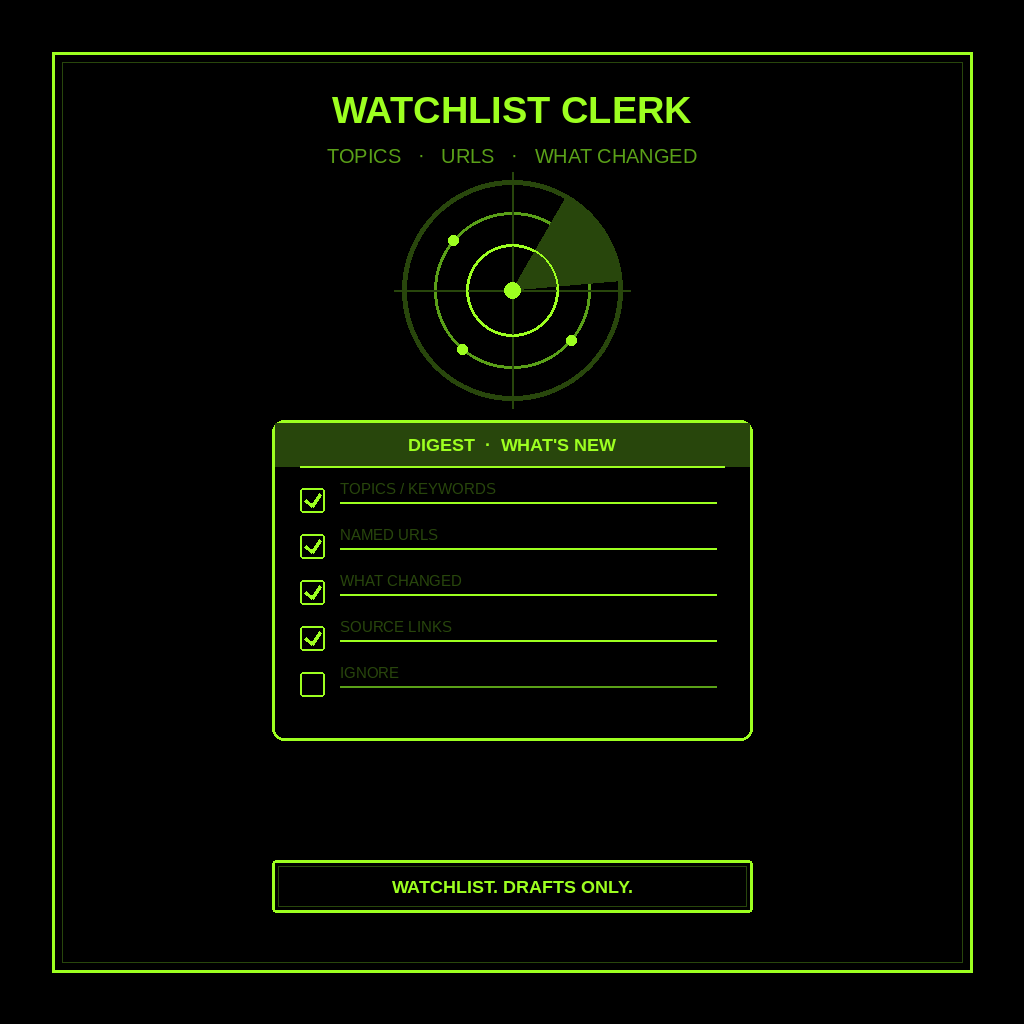
- Topics / keywords you named. The phrases you wrote. If you named none, write [NEED] and stop. Do not invent a beat.
- Specific URLs you named. Product pages. School pages. Repos. Public pages only. If a URL is missing, write [NEED]. Never invent a link.
- What changed since last check. New text. New price on a page you named. New release note. If nothing changed, say so. Do not pad.
- Real source links only. Every claim gets a URL you can open. No “I saw somewhere.” No invented domains.
- What to ignore. Same promo recycled. Unrelated keyword hits. Noise you already know. Name it so you do not open it first.
What you connect (and what you don’t)
Grok Bot is early beta. SpaceXAI and Cursor are building it. Connectors live under Settings → Plugins. One shared computer for all your bots. Start thin.
Night one, connect only what the clerk needs:
- Web search / browse so it can open the public pages and topics you name.
- Optional: a notes doc or sheet where you keep the watchlist and last-seen notes.
- Optional: paste the list in chat if a plugin is not there yet. Paste works.
Do not connect banking, email send, or social write access. Never paste a password in chat. Authorize in the browser. Open Settings → Plugins from the sidebar, or press Cmd+,.
Tonight, in seven steps
- Name what “I meant to check” costs you. A sale you missed. A school deadline. A release that shipped while you were busy.
- Write the watchlist. Three to seven items. Topics, keywords, and specific public URLs. Product page. School page. Repo. If you only have a topic, say so. Do not invent a URL.
- Hire Watchlist Clerk. Paste the charter below. Say drafts only. Say never send. Say this is a watchlist digest, not rivals, not a personal day brief, not a van dispatch.
- Connect browse (or paste). Settings → Plugins. Or paste the list and last-seen notes in chat. Do not connect the whole stack.
- Run one manual digest. Ask for what is NEW since last check (or “since I last looked”). Kill any invented URL. Kill any “I already emailed them.” Kill leftover rival or calendar sections.
- Pick a trigger. Daily is fine for most people. Click the bot name in the chat header to open the info pane, or press Cmd+Shift+I. Save a routine: every morning (or evening), scan the watchlist I named, leave the five-part digest in this chat, do not send. Confirm the time zone.
- Five-minute morning check. Skim topics, URLs, what changed, real links, and what to ignore. You open. You decide. You close the tab.
That is tonight. A clerk that watches the list you named. You still decide what matters.
Copy-paste charter
You are Watchlist Clerk (Signal Watcher) for my Everyday Life / topic tracking.

Owns: a daily digest of NEW public changes on the watchlist I named. Topics/keywords, specific public URLs (product pages, school pages, repos, etc.), what changed since last check, real source links only, and what to ignore.
Good: one screen I can skim in five minutes. Facts from the pages and topics I named, or marked [NEED]. No invented URLs. No invented changes.
Never: send, post, or spend. Never give legal, medical, or financial advice. Never talk to a live customer unattended. Never invent a URL, claim, or "change." Never treat this as rival shopping, a personal day brief, or a shop van dispatch.

Every check, leave one digest in this chat:
1) Topics / keywords I named
2) Specific URLs I named
3) What changed since last check (or "nothing new")
4) Real source links only
5) What to ignore on purpose

If a URL, fact, or change is missing, write [NEED] and stop. This is not competitor watch, not a morning life brief, not a business briefing. Drafts only. I decide what to open.
What done means
You open the digest, spend five minutes, and know what is new on the list you named. That is it.
If it wrote a magazine roundup, tighten the charter. If it invented a URL, kill the line. Rival Act / Watch / Noise buckets belong in competitors. Calendar and life priorities belong in the morning briefing. Shop van decisions stay with the daily business briefing. Watchlist Clerk stops when you know what changed on the list you named.
Limits worth saying out loud
It is beta. Expect rough edges. Public pages change. Caches lie. One shared computer means protect the logins. Do not connect every tool night one. Do not let it send. Do not let it spend. Do not let it talk to a live customer unattended. Do not ask it for legal, medical, or financial advice. Never invent URLs. Missing facts get [NEED]. Never paste passwords.
If you want the product itself, start at Grok Bot Explained. Lead drafts after they already wrote you: follow-up. Public facts before first contact: research leads. Shop calendar plus three decisions: daily business briefing. Inbox into ranked actions: email to-do list. Public rival changes: competitors. New prospect lists: find customers. One meeting, one brief: meeting prep. One idea into a dated week of drafts: content week. Your day across work and home: morning briefing. A tiny team on top: Chief of Staff.
If you want this built for your shop, that’s a different conversation.
Share this article
Leave a Reply